Next: Radio Frequency (RF) connections Up: sBitx installation guide Previous: HERMES installation Contents
Default radio's wireless information is:
In case the system connecting to the wifi of the radio shows a question saying that there is no internet, questioning if you want to stay connected anyway, select the option to continue connected anyway “always” (in case there is also an option to take this action “only once”).
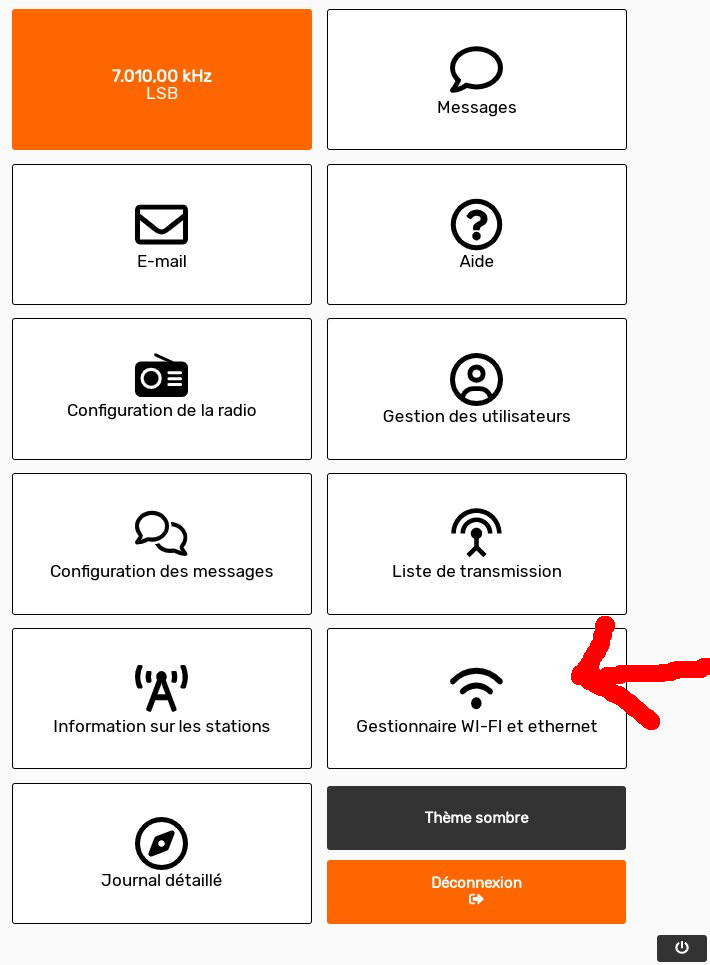
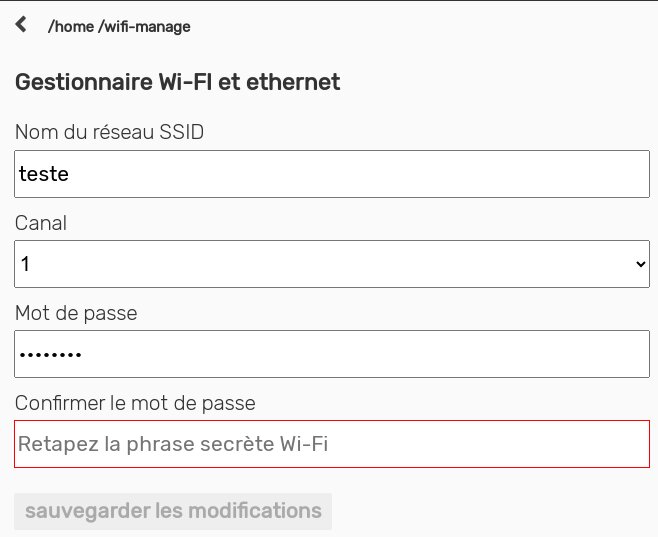
The Wifi settings can be changed through the HERMES interface, as shown in Figures 2.24 and 2.25. Choose a network name only with lower case letters and numbers. The password needs to be at least 8 characters, and it is not allowed the use of special characters or spaces - use just lower case letter ands numbers. Wifi channel also needs to be chosen, being the allowed channel numbers the range from 1 to 11. Any channel can be chosen. In case two or more HERMES radio are in the same room, choose a different channel and network name for each radio.