Next: Hardware description Up: Software description (architecture and Previous: HERMES System Architecture Contents
This section describes the main software components that implement the architecture described in Section 3.3.2.
HERMES deployments commonly use VARA HF as modem/TNC, but the system architecture is intentionally based on a
VARA-style TCP TNC interface, allowing open modem implementations (such as hermes-modem) to be used as a drop-in
replacement. ARDOP is supported mostly for legacy compatibility.
For the network layer, UUCP is used. UUCP is a system for asynchronous store-and-forward communication first released in Bell Labs Unix V7 in the late 1970s, and still used today in niches, like communication over HF.
The uucpd project (historically also referred to as uuardopd / rhizo-uuardop in older documents and code comments)
was developed to integrate UUCP with HF modems/TNCs.
At a high level, the HERMES station stack is made of:
sbitx_controller and sbitx_client)
uucico sessions)
uucpd bridge (uucpd daemon + uuport helper)
HERMES relies on a modem/TNC that exchanges baseband audio with the HF transceiver. On Linux, ALSA configuration is commonly used to provide stable capture/playback device mapping for the modem process (including Wine-based VARA deployments).
The reference configuration shipped in hermes-net is installed as /etc/asound.conf from
hermes-net/system_services/alsa/asound-sbitx-hermes.conf:
pcm.asymwine {
        type asym
        capture.pcm "hw:1,1"
        playback.pcm "hw:2,0"
}

pcm.!default {
        type plug
        slave.pcm "asymwine"
}

pcm.dsp {
        type plug
        slave.pcm "asymwine"
}
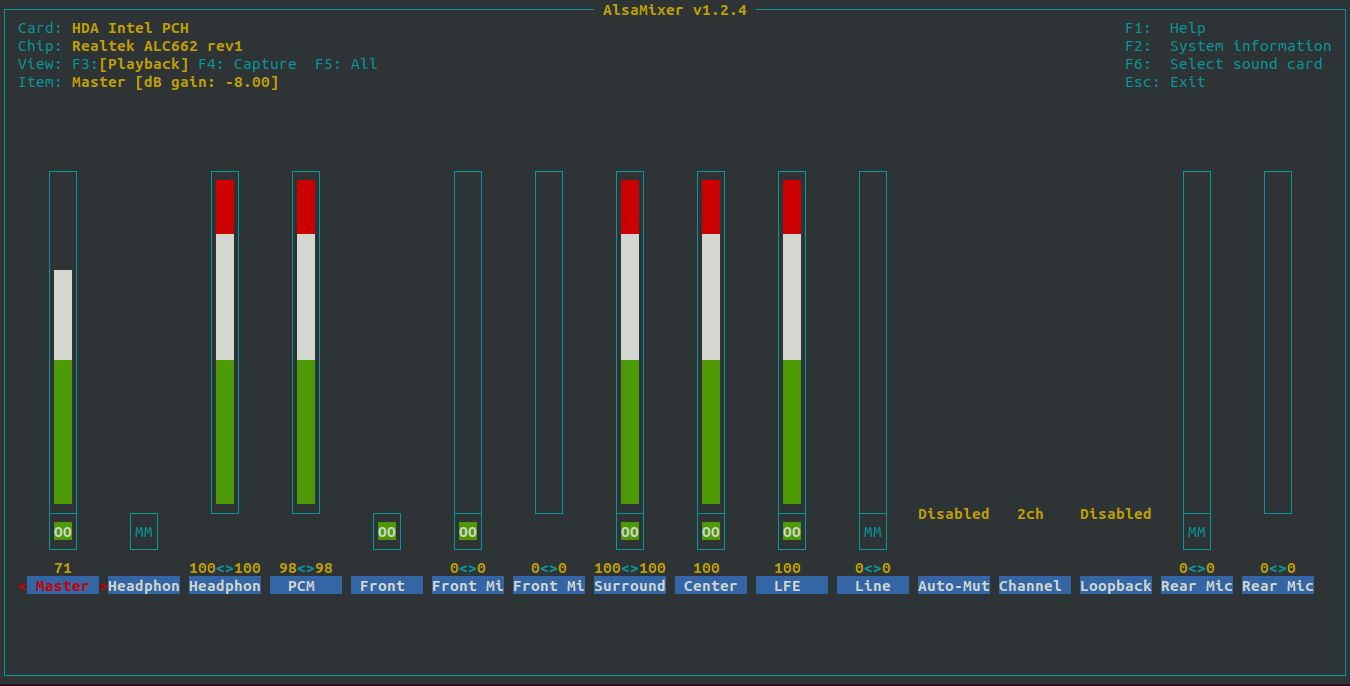
The actual hw:X,Y indices depend on your hardware. To identify them, use for example:
alsamixer
arecord -l
aplay -l
HERMES v2 uses Rhizomatica's sBitx-based radio control stack from hermes-net/trx_v2-userland. It builds two main executables:
sbitx_controller: a daemon that controls the radio (RF control + GPIO + I2C devices + audio DSP).
sbitx_client: a CLI tool used for monitoring and setting radio parameters (frequency, mode, power, etc.).
The controller is typically started by systemd as sbitx.service:
hermes-net/system_services/init/sbitx.service
  ExecStart=/usr/bin/sbitx_controller
The default configuration files are expected at:
/etc/sbitx/core.ini
/etc/sbitx/user.ini
hermes-net (make install) from the trx_v2-userland/config/ directory.
Core switches. The most relevant toggles in core.ini are:
enable_shm_control = 1 (required for sbitx_client and for uucpd -o shm integration);
enable_websocket = 1 (optional; used by web GUIs for status streaming).
The controller exposes a System V shared memory segment (key 66650, type controller_conn, see
hermes-net/include/sbitx_io.h). This interface is used by sbitx_client and also by uucpd when configured with
-o shm, allowing the modem/TNC integration to key PTT (and report status such as bitrate/SNR/bytes) without direct serial/CAT
access.
When enable_websocket = 1, sbitx_controller starts an HTTPS/WSS server (Mongoose-based) that:
wss://0.0.0.0:8080;
/websocket to a websocket stream (JSON status updates);
/etc/sbitx/web (installed by hermes-net from trx_v2-userland/web/).
https://<station>:8080/test.html and connects to
wss://<station>:8080/websocket.
TLS files are expected at:
/etc/ssl/certs/hermes.radio.crt
/etc/ssl/private/hermes.radio.key
systemctl status sbitx
sbitx_client -c get_frequency -p 0
sbitx_client -c get_mode -p 0

# If websocket is enabled:
ss -lntp | grep 8080
journalctl -f -u sbitx
Please refer to the developer's website for download and instructions on installation and use:
https://rosmodem.wordpress.com/
Configuration
Edit /opt/VARA/VARA.ini.default to include your license key and callsign.
hermes-installer ships a minimal Xvfb + x11vnc setup:
hermes-installer/conf/x11vnc/x11.service
  ExecStart=xvfb-run --server-args="-screen 0 1024x768x24" ... -n 69 -l xstartup

hermes-installer/conf/x11vnc/vnc.service
  ExecStart=x11vnc -display WAIT:69 ...
The
xstartup script (hermes-installer/conf/xstartup) launches wine /opt/VARA/VARA.exe (via xterm) and starts
the window manager used by this session.
systemctl status x11 vnc
journalctl -f -u x11
journalctl -f -u vnc

# VARA-style TNC should listen on the TCP base port (default 8300):
ss -lntp | grep 8300
Integration contract (VARA-style TCP TNC). The rest of the HERMES HF stack does not interact with VARA through audio directly.
Instead, uucpd connects to VARA's TCP interface (control socket on base_port, data socket on base_port+1; typically
8300/8301). VARA signals radio keying by sending PTT ON/PTT OFF on the control socket; uucpd translates
that into actual PTT via serial or shared-memory radio control (-o shm for sBitx).
Rhizomatica's open modem implementation is available at: https://github.com/Rhizomatica/hermes-modem/
It provides a VARA-style TCP TNC interface (separate control and data sockets) so it can be used with the same uucpd integration
path described above (uucpd -r vara ...). In addition to ARQ links, it also provides a dedicated TCP port for broadcast data mode
(default 8100).
The hermes-modem README documents its CLI options. In summary:
-p sets the ARQ TCP base port (control base, data base+1; default 8300).
-b sets the broadcast TCP port (default 8100).
-x selects the audio backend (alsa, pulse, shm, etc.).
modem.service (see
hermes-net/system_services/init/modem.service). It starts the modem directly via /usr/bin/mercury (installed from
hermes-modem using make install). On Linux, mercury defaults to ALSA and uses the ALSA device default for
capture/playback unless -i/-o are provided. When used, the corresponding uucpd-mercury.service unit depends on
modem.service.
systemctl status modem
journalctl -f -u modem
ss -lntp | grep 8300
ss -lntp | grep 8100
ARDOP is a SDR(software defined radio) modem compatible with both HF and VHF radio transmissions. In HERMES it is mostly a legacy/optional choice; the preferred integration target is the VARA-style TCP TNC interface described above. The protocol can operate over a wide range of data rates by automatically adjusting for optimized performance under poor multi-path conditions. Use this protocol with your HERMES if you are looking for a completely open-source and free option.
Download link: https://github.com/DigitalHERMES/ardopc
Configuration
The ardop binary should be in /usr/bin/ardop, which can be a
symbolic link to /usr/bin/ardop1ofdm, ardop2, ardopofdm.
ARDOP service file for the ICOM IC-7100 (USB connection, PTT done over serial):
[Unit]
Description=ARDOP daemon

[Service]
Type=simple
ExecStart=/usr/bin/ardop 8515 -c /dev/ttyUSB0 ARDOP ARDOP -k FEFE88E01C0001FD -u FEFE88E01C0000FD
ExecStop=/usr/bin/killall -s QUIT ardop
IgnoreSIGPIPE=no
#StandardOutput=null
#StandardError=null
StandardOutput=syslog
StandardError=syslog

[Install]
WantedBy=multi-user.target
Service file when using a VOX based setup (eg. when using an interface like the Signalink):
[Unit]
Description=ARDOP daemon

[Service]
Type=simple
ExecStart=/usr/bin/ardop 8515 ARDOP ARDOP
ExecStop=/usr/bin/killall -s QUIT ardop
IgnoreSIGPIPE=no
#StandardOutput=null
#StandardError=null
StandardOutput=syslog
StandardError=syslog

[Install]
WantedBy=multi-user.target
Start/stop ARDOP service:
systemctl start ardop.service
systemctl stop ardop.service
See the log:
journalctl -f -u ardop
hermes-modem (previous subsection), which exposes the VARA-style TCP TNC interface expected by uucpd.
The standalone Mercury R&D repository (when applicable) is:
https://github.com/Rhizomatica/mercury/
Since HERMES uses Debian GNU/Linux release Bullseye, UUCP packages are installed by default.
If you are not using Debian Bullseye, UUCP Debian package version 1.07-27 or higher should be used, for example, the version from Debian Bullseye (11): https://packages.debian.org/bullseye/uucp
UUCP command line examples follow. To copy a file to a remote host, the following command adds a copy job to the uucp queue (“-r” is used to not start transmission after queuing):
uucp -C -r -d source.xxx AM4AAB\!/var/www/html/arquivos/${nodename}/
Trigger the transmission of all queued jobs for host AM4AAA:
uucico -S AM4AAA
List the jobs:
uustat -a
Kill a job:
uustat -k job
uustat -K
See the log:
uulog
UUCPD is a set of tools that allow UUCP to operate over HF links by integrating uucico with an HF modem/TNC. In the HERMES v2
reference architecture (Section 3.3.2) the modem/TNC is accessed through a VARA-style TCP interface
(control socket on base_port, data socket on base_port+1).
The hermes-net/uucpd package provides two executables:
uucpd: the always-on bridge daemon that keeps the modem/TNC in listen mode, initiates outgoing connects when data is available,
and starts uucico in slave mode when an inbound call is received.
uuport: the helper invoked by uucico when calling out (UUCP port type pipe). It attaches to uucpd's shared
memory buffers and provides a byte-stream interface to uucico.
Communication between uuport and uucpd uses System V shared memory (connector struct + ring buffers). When configured with
uucpd -o shm, radio keying/status is also done through the sbitx_controller shared-memory interface (Section 3.4.2).
Download link: https://github.com/Rhizomatica/hermes-net/tree/main/uucpd
  $ make
  $ make install
  port HFP
  type pipe
  command /usr/bin/uuport
An alternative Port configuration if you use a patched uucp ( for "\Z" support, available in "improved-pipe.patch" which was added to uucp debian package version 1.07-27 ), where uuport passes the callsign of the station to be called to uucpd with the uucp remote station name (allowing a single uucpd instance to be used for different remote station callsigns):
  port HFP
  type pipe
  command /usr/bin/uuport -c \Z
Sys protocol example (tested and works fine) at "/etc/uucp/sys":
  protocol y
  protocol-parameter y packet-size 512
  protocol-parameter y timeout 540
  chat-timeout 200
Sys configuration example of remote system at "/etc/uucp/sys" (without login prompt):
  system remote
  call-login *
  call-password *
  time any
  port HFP
  chat "" \r
Sys configuration example of remote system at "/etc/uucp/sys" (with login prompt - should call uucpd with "-l"):
  system remote
  call-login *
  call-password *
  time any
  port HFP
   chat "" \r\c ogin: \L word: \P
The reference systemd unit files shipped with hermes-net include:
hermes-net/system_services/init/sbitx.service
hermes-net/system_services/init/uucpd.service
hermes-net/system_services/init/caller.service (gateway-only)
In the reference VARA deployment (Wine VARA + VNC), the uucpd.service unit is:
After=vnc.service sbitx.service
ExecStart=/usr/bin/uucpd -a 127.0.0.1 -p 8300 -r vara -o shm -f 2750p -m
In the open-modem (mercury) deployment, hermes-net ships uucpd-mercury.service and installs it as uucpd.service:
After=modem.service sbitx.service
ExecStart=/usr/bin/uucpd -a 127.0.0.1 -p 8300 -r vara -o shm -m -F
systemctl status uucpd
systemctl start uucpd.service
systemctl stop uucpd.service
journalctl -f -u uucpd

# TNC base port (control) should be up (default 8300):
ss -lntp | grep 8300
Examples of uucpd invocation:
$ uucpd -a 127.0.0.1 -c PU2BBB -p 8515 -t 60 -r ardop
$ uucpd -a 127.0.0.1 -p 8300 -r vara -o icom -s /dev/ttyUSB0 -f 2750p
$ uucpd -a 127.0.0.1 -p 8300 -r vara -o shm -f 2750p -m
 -c callsign:         Station Callsign (Eg: PU2HFF)
 -d remote_callsign:  Remote Station Callsign (optional)
 -r [ardop,vara]:     Choose modem/radio type
 -a tnc_ip_address:   IP address of the TNC
 -p tcp_base_port:    TCP base port of the TNC. ARDOP uses ports tcp_base_port and tcp_base_port+1
 -t timeout:          Time to wait before disconnect when idling (ARDOP ONLY)
 -f features:         Enable/Disable features.
     Supported features ARDOP: ofdm, noofdm (default: ofdm)
     Supported features VARA, BW mode: 500, 2300 or 2750 (default: 2300)
     Supported features VARA, P2P mode: "p" to enable (eg. 2300p)
 -s serial_device:    Set the serial device file path for keying the radio (VARA ONLY)
 -l:                  Tell UUCICO to ask login prompt (default: disabled)
 -F:                  Enable UUCP handshake fast-track (requires both ends; no-login chat)
 -m:                  Enable shared memory messaging parameter to uucp (requires patched uucp)
 -o [icom,ubitx,shm]: Sets radio type (supported: icom, ubitx or shm).
 -h:                  Prints this help
UUPORT Usage
-c system_name:      Name of the remote system (default is don't change).
-e logfile.txt:      Log file (default is stderr).
-h:                  Prints this help
HERMES provides a web-based interface for sending messages, files and emails. It also allows for user management and radio configuration, among other features. Current implementation also supports symmetric cryptography and audio/image compression.
The web app is composed of the front-end interface and a REST API.
Source code is located at:
(https://github.com/Rhizomatica/hermes-gui/).
The project was generated with Angular CLI version 13.2.6.
Angular: 13.2.6 Angular CLI: 13.2.6 Node: 12.22.5 Package Manager: npm 8.5.2
Requirements of the user interface:
The Web interface can be accessed by typing any address in a browser
connected to the WiFi (set the DNS accordingly) or simply 10.0.0.1.
Install node, npm
Install node preferably(V12.22.5) and npm (node package manager) in your distro
Run 'npm install' inside the project path
Development server
Configure .env file with your parameters and run npx ts-node setEnv.ts to set .env values in enviroment.ts.
Run ng serve –configuration=en for a dev server in english, you can change the language to spanish (ng serve –configuration=es) or portuguese (ng serve –configuration=pt) if you wish. Navigate to http://localhost:4200/. The app will automatically reload if you change any of the source files.
Code scaffolding
Run ng generate component component-name to generate a new component. You can also use ng generate directive|pipe|service|class|guard|interface|enum|module.
Running unit tests
Run ng test to execute the unit tests via Karma.
Running end-to-end tests
Run ng e2e to execute the end-to-end tests via Protractor.
Further help
To get more help on the Angular CLI use ng help or go check out the Angular CLI README.
Interface Contents
Inside the folder src you will find the angular templates for the system's interface.
On style.less there are the styling code, writen in less.
Inside the app folder, you will find the template components. The app-routing module.ts file is responsible for linking the templates to url adressess. and the app.component, the aplication root template.
For every system component, there will be a folder with the component.html, component.less, and component.ts. On the .html file there is the html angular template, and on the component.ts you will find typescript code related to that component.
Also inside the app folder, there is the _services foder, where you can find common services shared between the components to access the [station-api] (https://github.com/DigitalHERMES/station-api).
On assets folder you find links to svgs and image files used on the interface design.
On the locale folder there are the xlf files for translation. For the translations, we are using i18n angular module. To generate translations, you need to use ng extract-i18n –output-path src/locale/ to generate the messages,xlf file and then xliffmerge –profile xliffmerge.json pt es to transpose the new data to both messages.es.xlf and messages.pt.xlf, where you can input the new tranlation tokens.
Source code is located at:
(https://github.com/Rhizomatica/hermes-api/).
Server Requirements:
Installation settings
Setup your installation settings creating a .env file from .env.example
Run Composer
Composer is a dependency manager for PHP.
Run composer in your folder to install the dependencies and update relevant packages:
COMPOSER_ALLOW_SUPERUSER=1 composer install
COMPOSER_ALLOW_SUPERUSER=1 composer update
Copy hermes-api to /var/www/station-api/
Go to your hermes-api folder and run:
cp -rT . /var/www/station-api/
GNU Privacy Guard
Create the folder for GNU Privacy Guard and change owner:
mkdir -p /var/www/.gnupg
chmod 700 /var/www/.gnupg
chown www-data:www-data /var/www/.gnupg
Setup public folders for UUCP
Create and give permissions to inbox/outbox, downloads and temp folders to uucp public:
mkdir -p /var/www/station-api/storage/app/inbox
chmod 777 /var/www/station-api/storage/app/inbox
mkdir -p /var/www/station-api/storage/app/outbox
chmod 777 /var/www/station-api/storage/app/outbox
mkdir -p /var/www/station-api/storage/app/downloads
chmod 777 /var/www/station-api/storage/app/downloads
mkdir -p /var/www/station-api/storage/app/tmp
chmod 777 /var/www/station-api/storage/app/tmp
mkdir -p /var/www/station-api/storage/app/uploads
chmod 777 /var/www/station-api/storage/app/uploads
The structure created is used by the app as follows:
/uploads (Files of outgoing messages)
/downloads (Files generated from the inbox received messages)
/inbox (incoming hermes message packs)
/outbox (hermes message pack for deliver)
/tmp (tmp files)
Link folders
ln -sf /var/www/station-api/public/ /var/www/html/api
Change owner of the app folder
chown -R www-data:www-data /var/www/station-api/
create database.sqlite file in database folder
To start a fresh database: php artisan migrate:refresh –seed
Database setup
Create a database named hermes and user with all privileges:
  echo "CREATE USER hermes IDENTIFIED BY 'db_hermes'; " > sql_commands.sql
  echo "CREATE DATABASE hermes;" >> sql_commands.sql
  echo "GRANT ALL PRIVILEGES ON hermes.* TO hermes;" >> sql_commands.sql

  mysql < sql_commands.sql
Then go to your hermes-api folder and run Artisan for the migrations:
  cd /var/www/station-api/
  php artisan migrate
  php artisan db:seed
Running on port 8000:
> php -S localhost:8000 -t public
Hermes Message Pack
Hermes Message Pack is a tar gziped file named .hmp